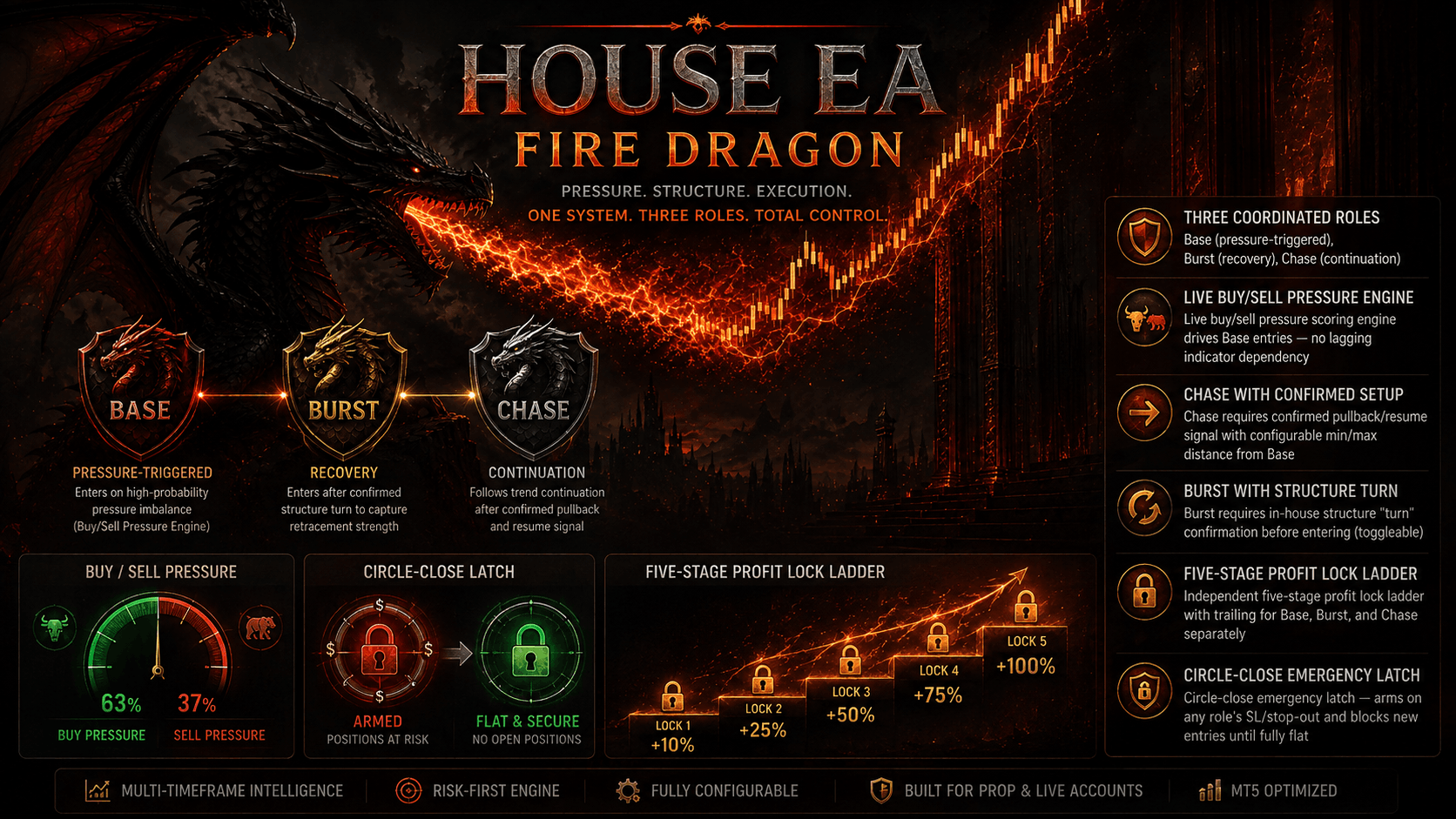
A Base/Burst/Chase MT5 EA guided by an ARMY OF LEGIONS structure gate and a contextual AI trade-control layer that only confirms or vetoes — it never overrides the core system.
HOUSE OF HONOUR EA v1.11 keeps its proven v1.03 Base/Burst/Chase execution core fully intact and adds a materially active contextual AI layer on top, rebuilt from scratch after v1.10 was found behaviourally inert in A/B testing. Uncertainty always defers back to the v1.03 baseline, so the AI can only sharpen decisions the core system was already prepared to make — never override them blindly. Market reading runs across three timeframes at once: a Micro (M1), Tactical (M5) and Structure (M15) observation layer, optionally reinforced by an Eagle Strategy multi-agent scan. The ARMY OF LEGIONS v1.05 Adaptive Structure Gate sits above this as a pure observer — it never sends orders — tracking accepted-core density, failed auctions and accepted breaks to classify live market structure and gate entries by regime. The AI Probability + Trade Control engine then builds continuous contextual memory from qualified, resolved outcomes (not raw win/loss noise) and can confirm or veto a signal only when evidence is decisive; ambiguous contexts always fall back to the v1.03 decision. Execution is split into three brains: Base Precision takes the primary disciplined entry with a 5-tier profit lock and trail; Burst Recovery deploys in follow/auto mode to rescue an adverse Base position, with any exit able to close the whole circle; and Chase Continuation runs its own 5-tier lock/trail and can force-close Base on its own SL or stop-out. Risk is filtered by auto symbol calibration, trend/volatility/MFI/spread filters, broker-time trading windows, a full MT5 Economic Calendar news blackout filter, a trailing daily profit lock with surplus-mode lot reduction, and circle-wide execution controls with retry logic — all visible on a live on-chart dashboard.
Attach HOUSE OF HONOUR EA to your chart on a Hedging-enabled MT5 account. The EA requires hedging mode (InpRequireHedgingAccount) — netting accounts are not supported.
Leave Auto Symbol Calibration (InpAutoSymbolCalibration) enabled so the EA automatically detects broker tick size, point value, and spread behavior for your specific symbol — no manual point configuration is needed for most brokers.
Enable the Base, Burst, and Chase brains (InpUseBase, InpUseBurst, InpUseChase) based on your risk appetite. Base runs the core precision entries, Burst handles fast recovery after adverse moves, and Chase manages continuation trades — all three can run together or independently.
Turn on the AI Probability Engine (InpUseAIProbabilityEngine) and Trade Control (InpAITradeControl) to let the EA confirm or veto entries using historical context comparison — recommended to leave both ON for default decision-making behavior.
Configure the Filters group (Trend, Volatility, MFI, Spread) to match your broker conditions. Leave numeric thresholds at 0 to let the EA use dynamic, self-calibrated boundaries rather than fixed values.
Enable the on-chart Dashboard (InpShowDashboard) and Execution Audit (InpExecutionAudit) to monitor live signal states, active brain status, and trade execution history directly from the chart.
Start with the default InpBaseLot (0.01) and InpBurstLot (0.10) on a demo account for at least 1–2 weeks to validate performance on your broker's spread and execution conditions before switching to live trading.
Estimate potential monthly returns and drawdown margins based on your starting capital.
Free algorithmic calculation tools to manage your position sizing, leverage, and drawdown.
Calculate exact lot sizes based on account balance & risk %.
Calculate exact dollar value per pip for Forex, Gold & Indices.
Project monthly compound returns over 1 to 5 years.
Master key terminology: Drawdown, Profit Factor, Sharpe Ratio.
Everything you need to know about HOUSE OF HONOUR EA setup, licensing, and trading performance.
Download the complete quantitative guide: Position Sizing Formulas, Prop Firm Drawdown Rules, and MQL5 Parameter Cheat Sheets.