
EXCLUSIVE OFFER Get an Expert Advisor 100% Free when you open and fund an account with our partner broker! Claim Free EA
MT5 Verified Browse All EAs
SPONSORED Black Friday
RED DRAGON EA
1 / 5
What’s Included in Download
Instant Access

.EX5 / .EX4

Compiled File

.SET Files

Optimized Presets

PDF Guide

Setup & Manual

Updates

Free Lifetime

EAs Official Release

RED DRAGON EA

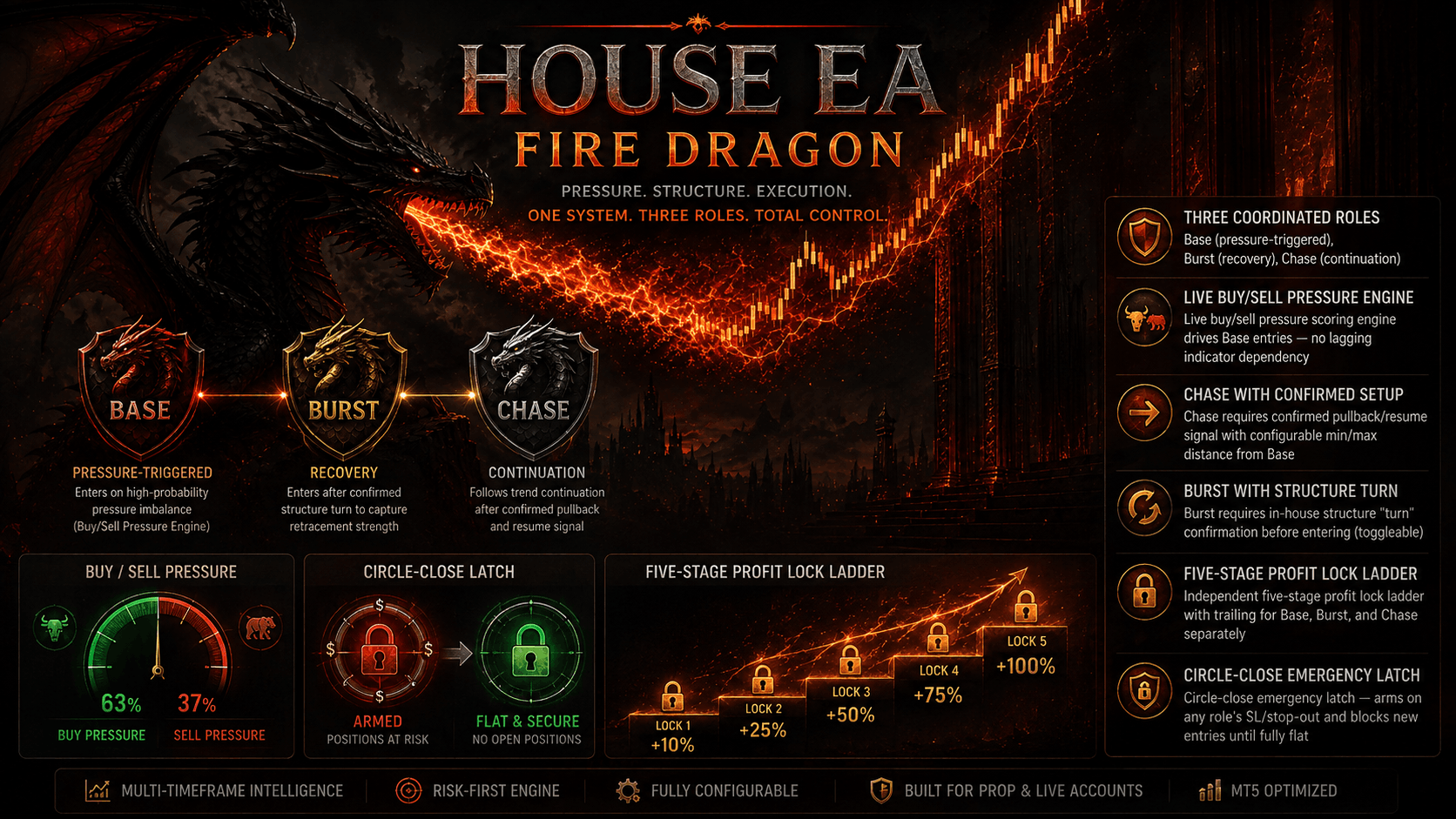
An "Attack and Defend" dual-brain system — Base Striker + Burst Sniper — driven by three independent price brains (pressure, momentum, direction), regime classification, and live USD Index confirmation, with daily profit locking and surplus protection.

MT5 Ready 5 Devices Allowed ECN / Prop Firm Safe 24/7 VPS Optimized
Free Demo Trial Available
3 active now
Zero-Risk Demo Trial
$0 / 5 Days
Full MT5 strategy testing without payment or card upfront.
Start Free Trial Now
Flexible Rental Plan
$29.99 / 30 Days
Test on live prop accounts with zero lifetime commitment.
Rent for $29.99
Lifetime License Option
$350.00 / Lifetime
$1090.29 -68%
Members save up to 50%! View Membership Club.
Subscribe Now
Instant Key Delivery
5 Devices Allowed
Free Future Updates
24/7 Expert Support

Strategy Tester

Download a copy to exclusively try out before purchase.

Try out your trading strategies with the power of innovation for success

Features

  • Attack & Defend dual-engine (Base Striker + Burst Sniper)
  • Three independent price brains: pressure, momentum, direction
  • 12-state regime classifier (trend/range/compression/breakout/reversal)
  • Live USD Index (USDX) macro confirmation, fail-open safe
  • Trend, volatility, MFI, and dynamic spread filters
  • Support/resistance runway zone gating
  • 5-stage progressive profit lock ladder + adaptive trailing
  • Daily profit target lock with its own trailing distance

Description

RED DRAGON EA — Attack & Defend with USDX Confirmation, pairs a patient Base Striker with an aggressive Burst Sniper, each fed by three independent in-house price brains that separately measure pressure, momentum, and directional bias before either engine is allowed to fire. A regime classifier scans for trending, ranging, compression, expansion, breakout, reversal, and chaotic conditions across a dedicated timeframe, gating entries so Base only trades favorable regimes while Burst can adapt to fast-moving opportunity windows via its Eagle Strategy and Duelist Algorithm. Entries are further filtered through trend (MA cross), volatility (auto-calibrated min/max bands), MFI, and dynamic spread checks — with configurable veto thresholds for strong-trend and strong-MFI conditions. An independent support/resistance zone engine checks runway room before allowing a trade, and a direct broker USD Index (USDX) read adds macro currency-strength confirmation for both Base and Burst, with fail-open safety if USDX data isn't available. Risk management includes a 5-stage progressive profit lock ladder, adaptive trailing, full session/day-of-week scheduling with Friday cutoff, and an economic calendar news filter (low/medium/high impact, configurable before/after windows). A daily profit target lock with its own trailing distance protects gains once hit, and Surplus Protection can drop to reduced lot sizing — or stop trading entirely — after a profit lock breach. A built-in telemetry panel gives a full live readout of all brain states, filters, and regime status. Default-tuned for gold/forex majors, cross-chart execution locking prevents duplicate firing across multiple attached charts, and hedging-account support is required for the Base+Burst position structure.

How To Use

1

After purchasing or subscribing, download the EA .ex5 file from your FXSnipers account.

2

Launch MT5 and make sure you are logged into the trading account you want to use.

3

Go to File → Open Data Folder → MQL5 → Experts and paste the downloaded .ex5 file into the Experts folder.

4

Select the recommended trading pair and timeframe for the EA.

5

Allow WebRequest for listed URL Then click Add new URL and enter: https://fxsnipers.com/ Make sure the URL appears in the allowed WebRequest list.

6

Drag the EA from Navigator → Expert Advisors onto the chart.

7

Make sure Allow Algo Trading is enabled in the EA settings and that Algo Trading is turned on in MT5.

8

Set your preferred lot size, risk level, Stop Loss, Take Profit, recovery settings, and any other available parameters. Beginners should start with the recommended/default settings.

9

Run the EA on a demo account or use the MT5 Strategy Tester before using it with real funds.

10

Once activated, allow the EA to manage trades according to its strategy. Regularly review performance, drawdown, and risk.

EA Parameters & Settings

Default Values
Note on Default Parameters vs. Safety Protections: Built-in protections (hard equity drawdown, maximum daily loss, and news filters) are fully integrated into the code. Several filters are shipped set to False by default so you can trade unconstrained on non-prop accounts. For Prop Firm challenges (FTMO, MFF, etc.), simply toggle them to True or load our pre-configured conservative .set files.
General
  • EnableEA True
  • MagicNumber 26073001
  • MaximumCirclePositions 11
  • MaximumTradesPerDay 300
  • RequireHedgingAccount True
  • EnableCrossChartLock True
Price Brains
  • PressureTF M5
  • MomentumTF M5
  • DirectionTF M15
  • BasePressureTrigger 55
  • BaseMomentumTrigger 55
  • BaseDirectionTrigger 55
Filters
  • UseTrendFilter True
  • UseVolatilityFilter True
  • AutoVolatilityCalibration True
  • UseMFIFilter True
  • MFIBuyMinimum 55
  • MFISellMaximum 45
  • UseSpreadFilter True
  • MaximumSpreadPoints 100
Regime Classification
  • UseRegimeClassifier True
  • RegimeTF M5
  • RegimeLookback 40
  • CompressionRatio 0.7
  • ExpansionRatio 1.45
  • AllowBaseInCompression True
Support Resistance
  • UseSupportResistance True
  • ZoneTF M15
  • ZoneLookback 100
  • MinimumRunwayFactor 0.45

Specifications

  • Allowed Devices 5 Devices
  • Platform MT5
  • License Validity Lifetime
  • Platform MetaTrader 5
  • Broker Type Any MT5 broker with USDX symbol available (fail-open if missing)
  • Min Deposit $200 (Base+Burst combined exposure)
  • License Type Single account / device-locked
  • Magic Number 26073001

Related Subscriptions

Verified MT5 Strategy Tester Audit 99.9% Tick Data Quality

Backtest Methodology & Execution Statistics

Transparent, reproducible historical performance conducted on MetaTrader 5 using variable spreads, realistic commissions, and real tick data.

Platform
MetaTrader 5
64-bit Architecture
Tick Model
Real Ticks 99.9%
Ticked by Broker
Spread & Slippage
Floating (Real)
Includes Commission
Tested Symbol
XAUUSD / Forex
Multi-Pair Capable
Stop Loss Rule
Hard SL on Every Order
Zero Grid / No Martingale
Prop Firm Rules
Compatible
Max DD Cap Enforced

Time-Horizon Performance Breakdown

Toggle between short, medium, and annual backtest data windows.

Window: · Pair:
Net Gain
Max Equity Drawdown
Strictly Capped (Hard SL)
Profit Factor
Total Trades
Sharpe Ratio
Recovery Factor
Avg Trade Profit
Account Profile
Timeframe Analysis:

Pre-Configured .SET Strategy Profiles

Prop Firm / Conservative Profile A
Max DD < 4.5%

Engineered specifically for FTMO, FundedNext, and 5%ers evaluation challenges with daily drawdown guardrails.

Target Monthly Yield:3.5% – 5.5%
Historical Profit Factor:1.85 – 2.15
Recovery Factor:> 4.2
Balanced Growth (Recommended) Profile B
Max DD < 8.5%

Standard production configuration for private broker accounts seeking steady compound equity curves.

Target Monthly Yield:6.0% – 8.5%
Historical Profit Factor:2.10 – 2.45
Win Rate Range:62% – 68%
High Frequency Dynamic Profile C
Max DD < 14.0%

Aggressive scalping mode taking continuation signals across multiple session overlaps.

Target Monthly Yield:10.0% – 14.0%
Historical Profit Factor:1.75 – 2.05
Trade Volume:High (Daily Entries)
i Zero Blind Trust Policy: Past backtest results do not guarantee future returns. That is why we provide a 7-Day Demo Evaluation Trial so you can forward-test the EA directly on your preferred broker's demo server before committing.
Review Default Risk Settings →

Trading Calculators & Research Hub

Free algorithmic calculation tools to manage your position sizing, leverage, and drawdown.

View All Calculators →

Frequently Asked Questions

Everything you need to know about RED DRAGON EA setup, licensing, and trading performance.

What trading style does RED DRAGON EA use?
It runs a dual-role "Attack and Defend" system — a Base Striker for structured entries and a Burst Sniper for high-momentum breakout opportunities — guided by a multi-timeframe Market Map that reads range, breakout, and pullback conditions before entering.
Does it require a hedging account?
Yes, by default (InpRequireHedgingAccount) since Base and Burst positions are managed as separate, simultaneously-open roles rather than a single net position — this is required for the "circle" position management to work correctly.
Does it filter out high-impact news and low-quality market conditions?
Yes. It includes a built-in economic calendar news filter that can close or block trades around news events, plus optional MFI, volatility, spread, and USD Index correlation filters to avoid choppy or unfavorable conditions.
Is there built-in risk management?
Yes - it includes a daily profit lock, maximum trades-per-day cap, maximum circle position limit, and full daily/weekly/monthly/lifetime performance tracking visible directly on the live panel.

Product Reviews

No reviews yet. Be the first to review this product!

Log in to leave a review.

$350.00 / Life
Rent: $29.99 · Trial: 5d
Exclusive Trader Kit 2026

Forex EA & Risk Management Cheat Sheet

Download the complete quantitative guide: Position Sizing Formulas, Prop Firm Drawdown Rules, and MQL5 Parameter Cheat Sheets.


Instant PDF Access No Spam Guarantee